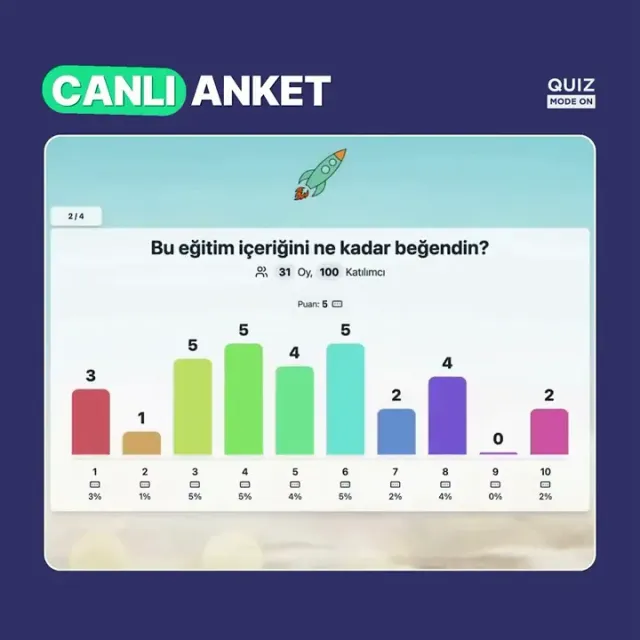
LIVE POLL Real-Time Voting That Everyone Sees
Live Poll lets your audience answer from their own phones while a graph grows on the presenter screen with every answer. Choose between multiple-choice voting, rating and word cloud questions, and move to the next question when you are ready.
Live Poll - Event Flow
Design a more enjoyable experience with gamification dynamics.
- Poll (Multiple Selection)
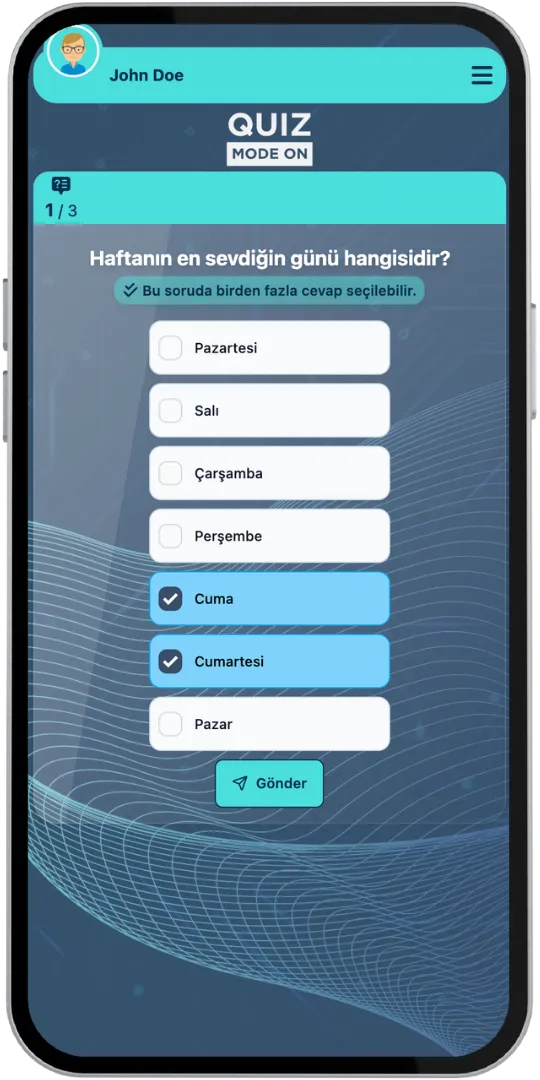
- Presenter Screen (Multiple Choice)
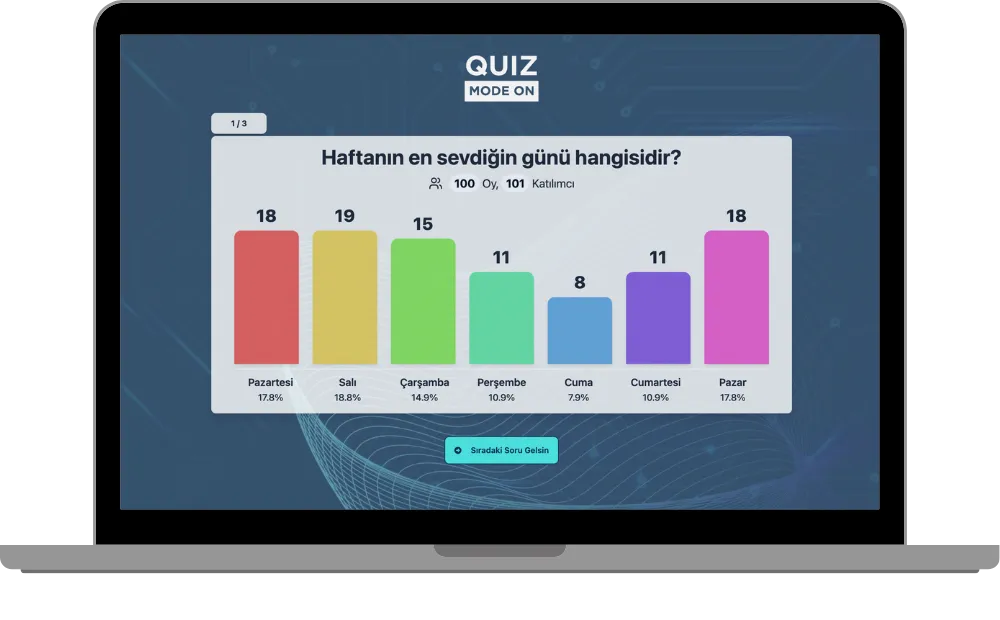
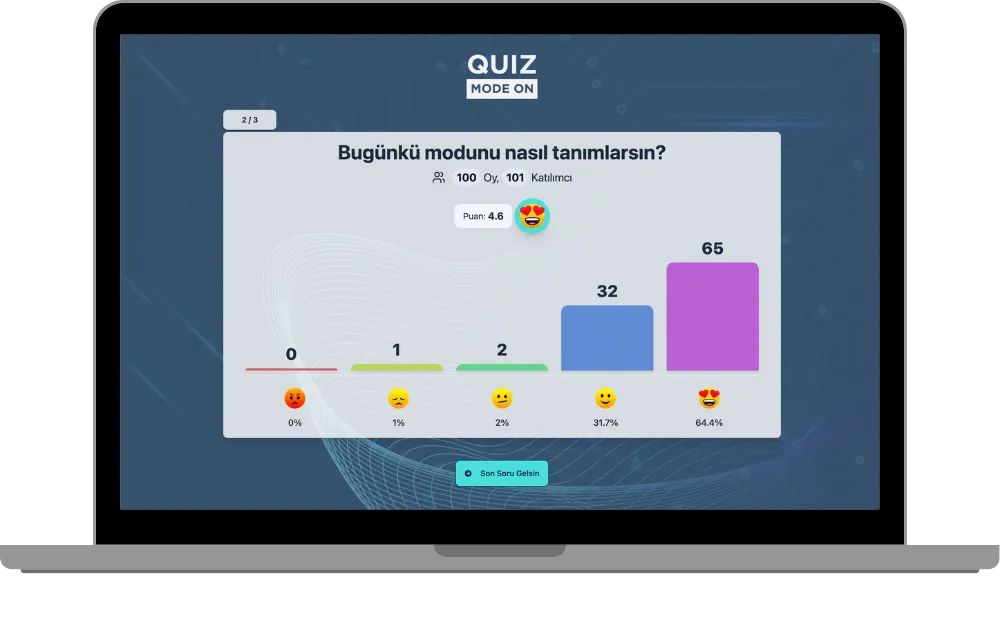
- Rating (Emoji Reactions)
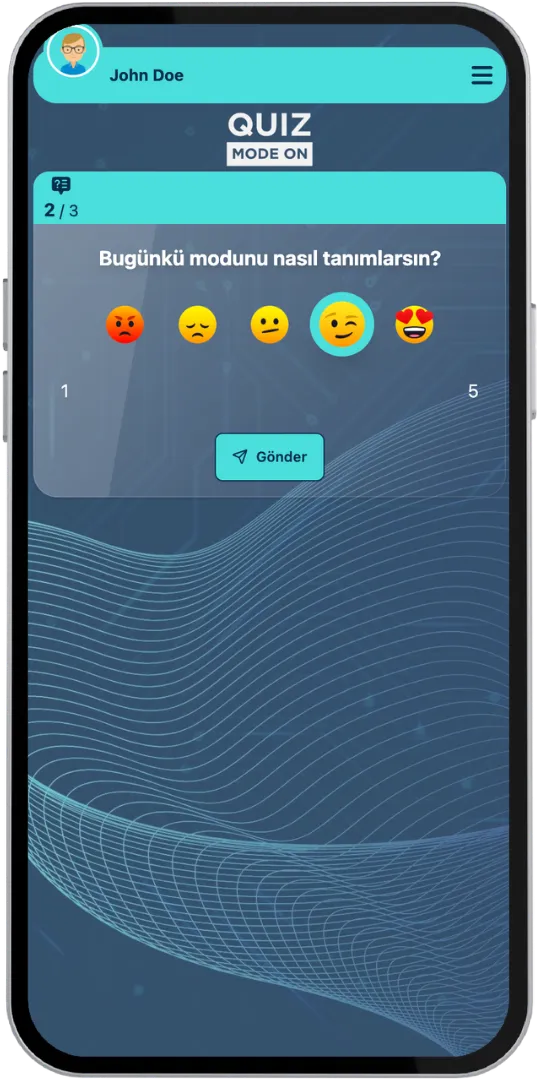
- Presenter Screen (Emoji Reactions)
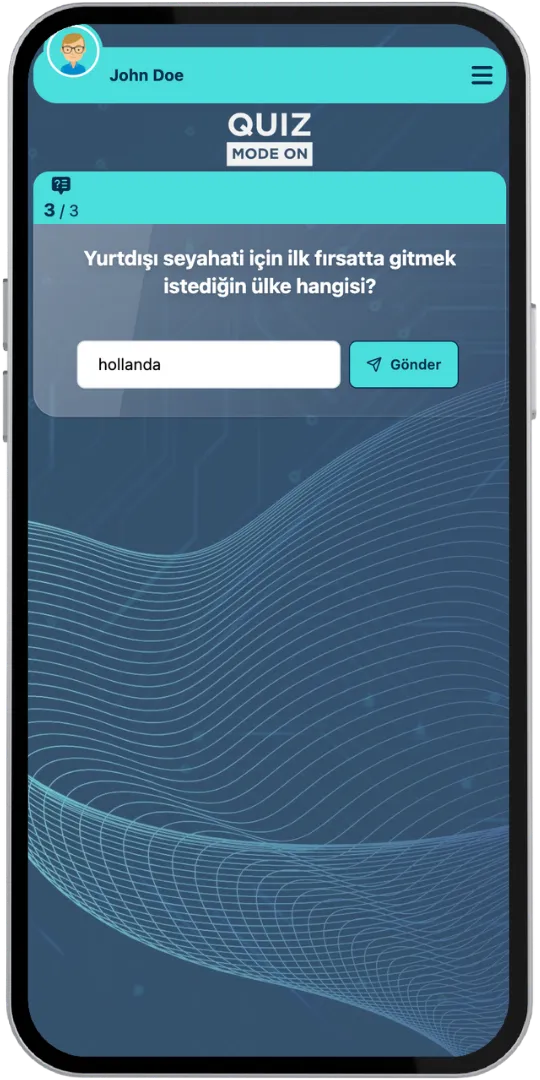
- Word Cloud
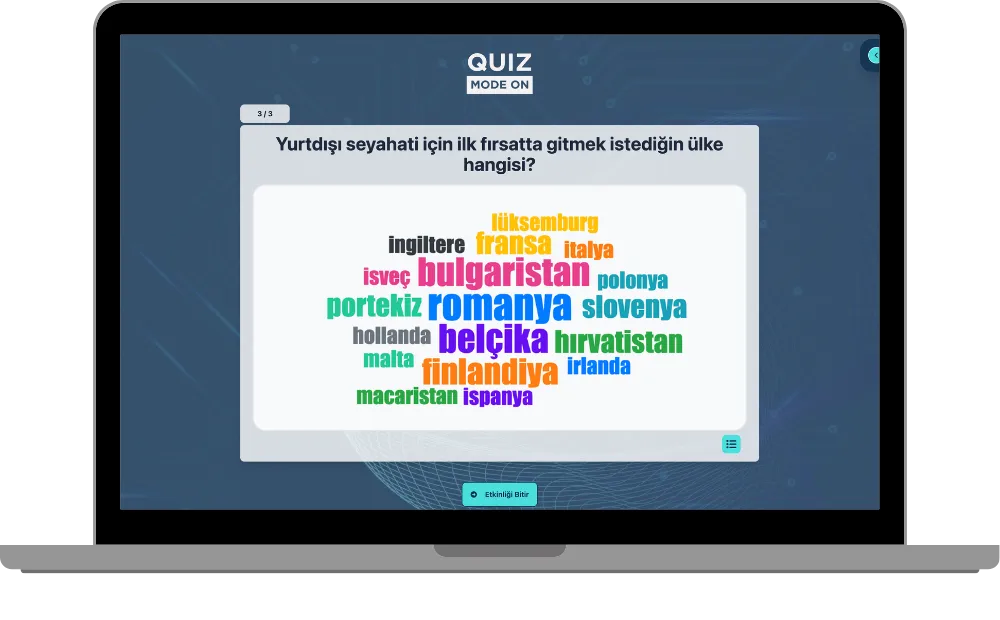
- Presenter Screen (Word Cloud)
Game Modes & Unique Features
Discover various features to spice up your events.
Watch the Results Grow in Real Time
As soon as participants start answering, a chart appears on the presenter screen and the votes and averages update live. Everyone in the room sees what the group thinks, right now.
Use Customized Brand Theme Feature’s Power for Live Poll
Enjoy complete flexibility of QuizModeOn’s theme editor and easily apply your corporate identity by adding custom logos, brand colors, and backgrounds.
Three Question Formats in One Session
Ask a multiple-choice poll (single or multiple selection), a rating with emojis or scores from 1 to 10, or a word cloud where participants answer with a word, all in the same live session.



Poll: Single or Multiple Selection
Participants choose one option or, if you allow it, several options, and the bars grow as the votes come in.
Rating: Emojis or 1-10 Scores
Collect scores with emoji reactions or on a scale from 1 to 10, and see the average score on the presenter screen.
Word Cloud
Participants answer by writing a word. The most repeated words grow bigger in a word cloud on the presenter screen, and a word list is also available.
You Control the Pace
Participants can answer a question until the presenter moves on to the next one.
Lobby Fun
While waiting in the lobby, participants send emojis to each other and read short how-to-play tips.
Excel Report
When the event ends, an Excel file with the participants' registration details, their answers and how many seconds they took is created.
When, Where, and Why? Use of Live Poll
Create events with various combinations for all your needs.
- In-Corporate Events
- HR Recruitment
- Learning/Training
- Marketing
When
Live Poll is frequently used to take the pulse of a room.
- Conference and Panel Sessions
- Town Halls and All-Hands Meetings
- Training and Workshop Check-Ins
- Product Launch Feedback
- Quick Decisions in Meetings
Where
Live Poll works on stage, in meetings and online.
- Conferences & Congresses
- Meetings & Webinars
- Workshops
- Corporate Events
- Hybrid Events
Why
Live Poll makes every voice visible.
- See Results Instantly on Screen
- Involve the Whole Room
- Collect Votes, Scores and Words Together
- Move at Your Own Pace
- Export All Answers to Excel



How to Create Live Poll Events?
Learn event creation progress step by step.
Create your questions and choose a format for each question: Poll (multiple choice), Rating (emojis or 1-10 scores) or Word Cloud.
Create customized branded themes and designs that fit your corporate identity or key visuals of custom works and events.
Check and finalize your content.
Let’s set up an event for your content with some features.
- Live Poll is played as a live event: you move to the next question when you are ready.
- Set the features of your event information, like the participant limit and the PIN code.
- Choose your audience‘s sign up options and what information you need to keep and use, and customize how participants see their login screen.
After planning the event, it’s time to start and manage your event.
Show the presenter screen to the room and watch the results grow with every answer. Everything is collected in the Excel report.
Live Poll Alternatives
Try distinct type of events with unique dynamics and excitement levels.



Check Out Our Blog
Get inspired to discover valuable insights, tips, and strategies.
Gameplay Video
Watch our short video to learn about the basics, such as event flow and features.