Question & Answer Quickest Way to Collect Open-Ended Questions
Bring your audience together and let them ask their questions easily via Q&A event. Collect all of your participants' questions to create a collective questions pool. Each participant can react to any question by upvoting it to be answered. Q&A is one of the most engaging and effective ways to foster a supportive event environment among participants and allow them to pose their questions anonymously.
Q&A - Event Flow
Design a more enjoyable experience with gamification dynamics.
- Participant Login
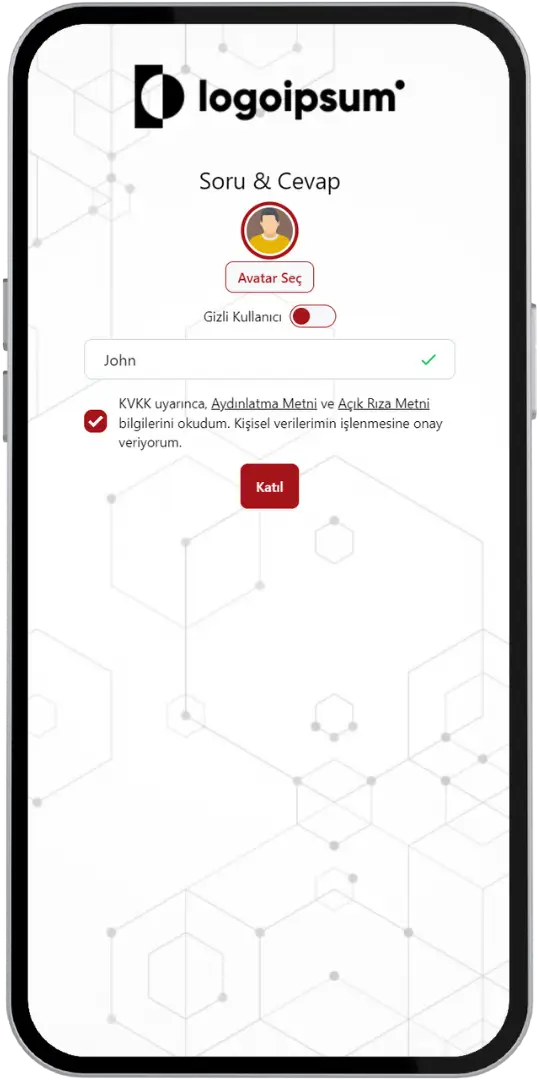
- Participant Login (Anonymous)
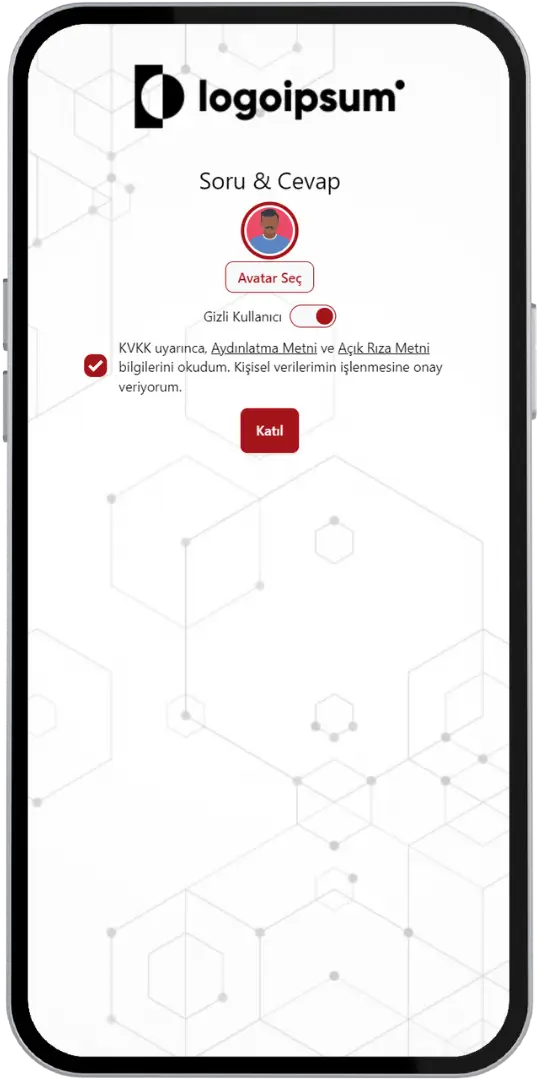
- Submitting a Question
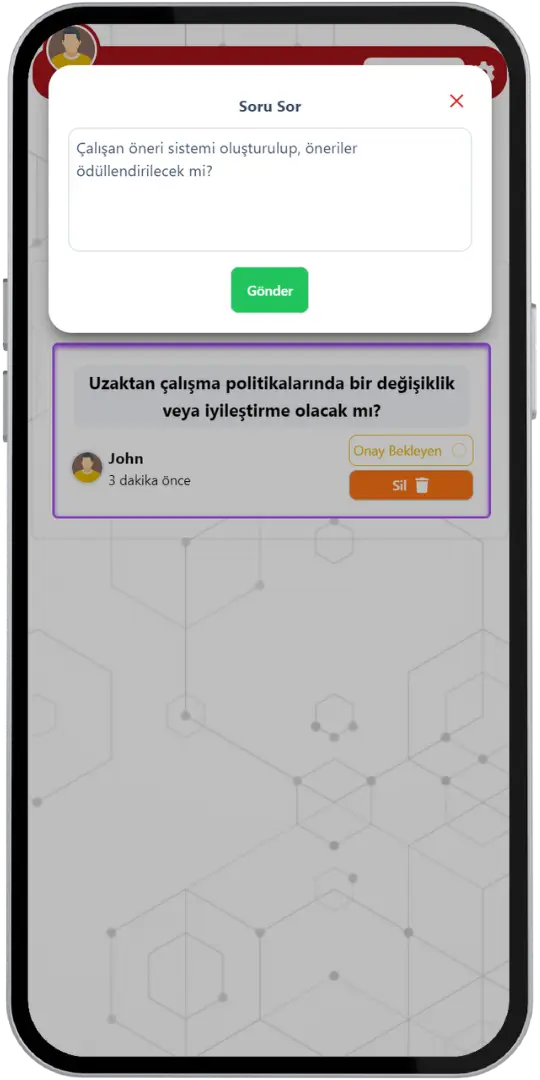
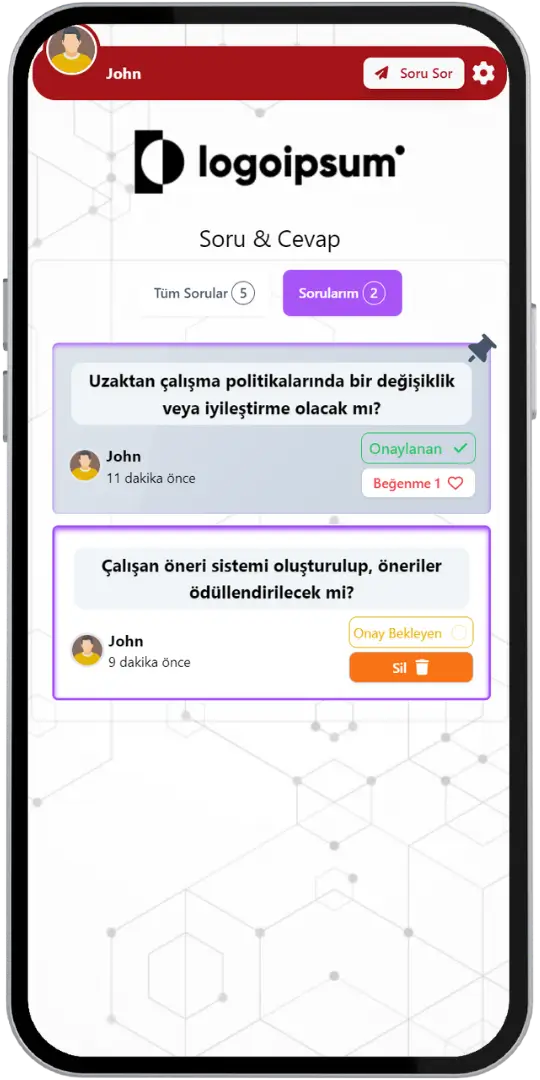
- My Questions
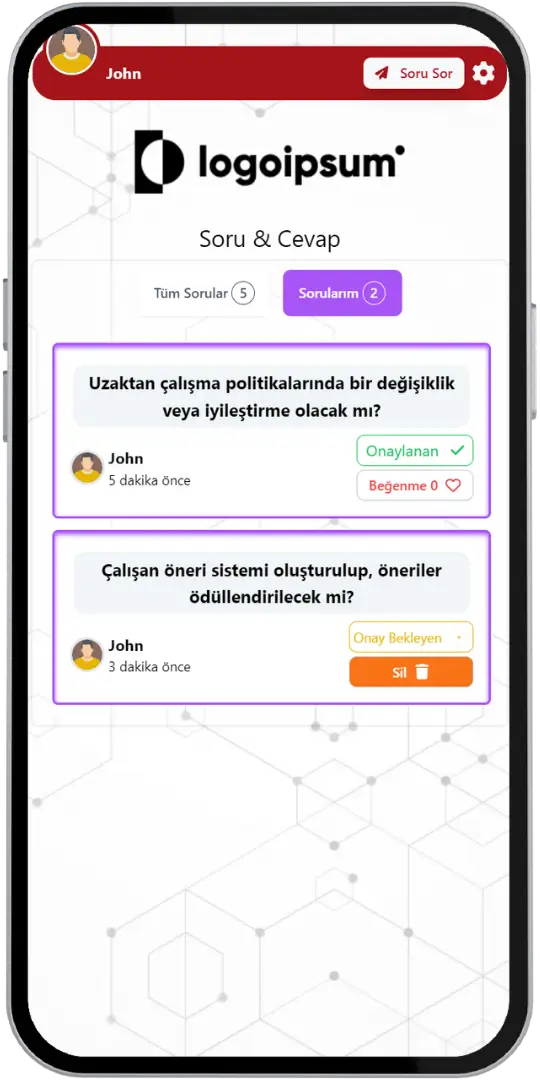
- Approved Question
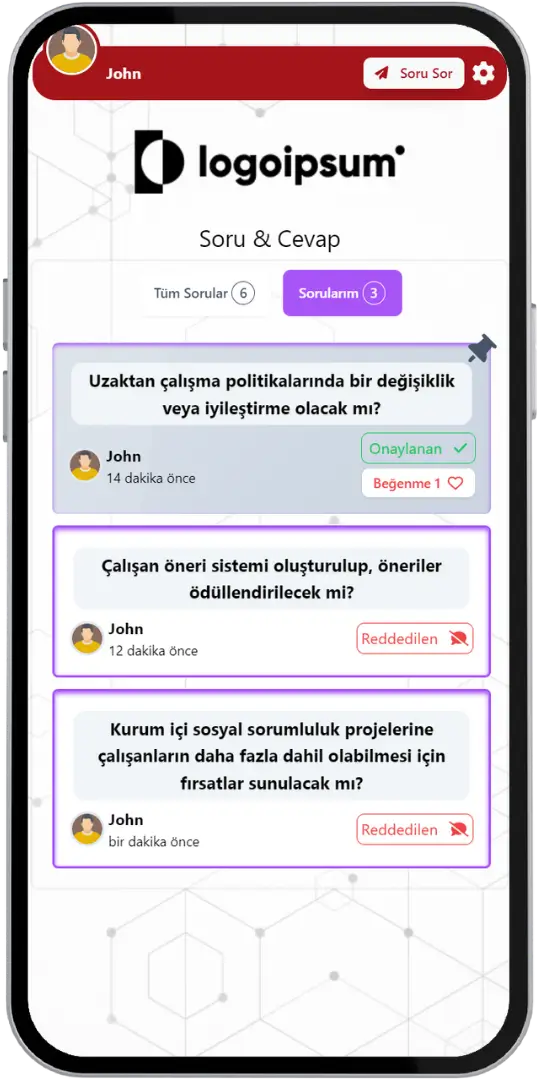
- Rejected Question
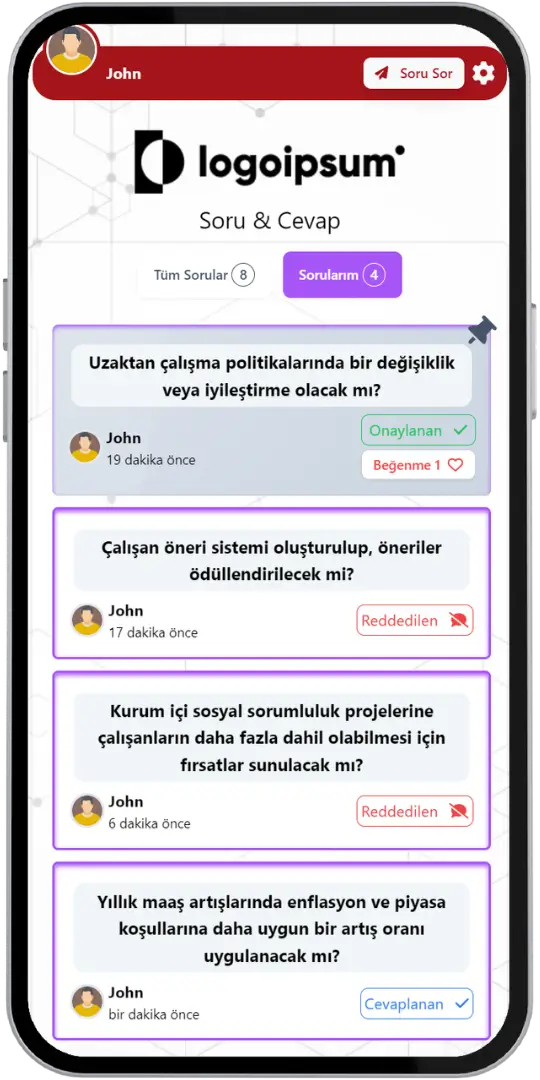
- Answered Question
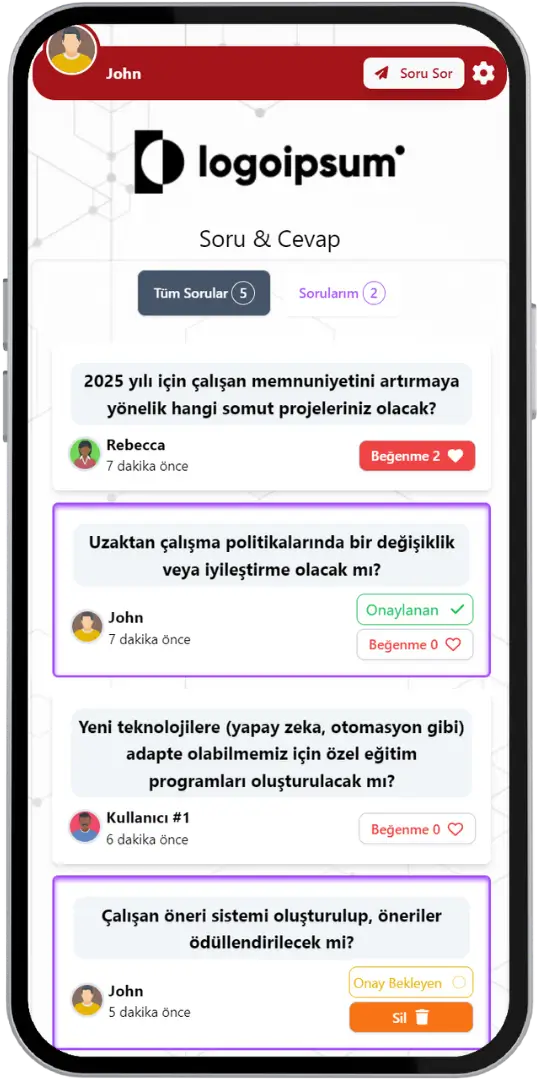
- Liking Questions
- Participant - Pinned Question
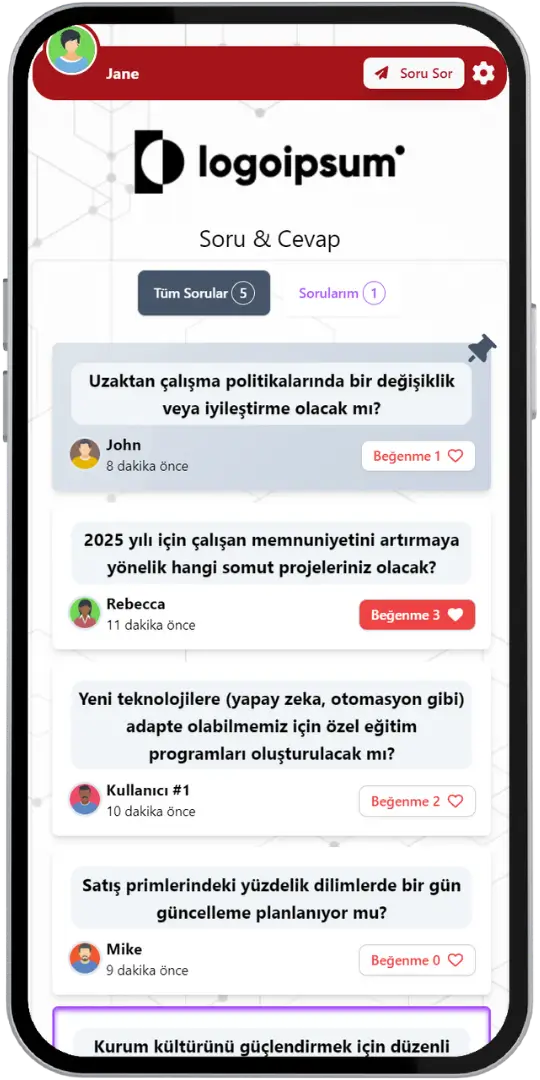
- Moderator - Pinned Question
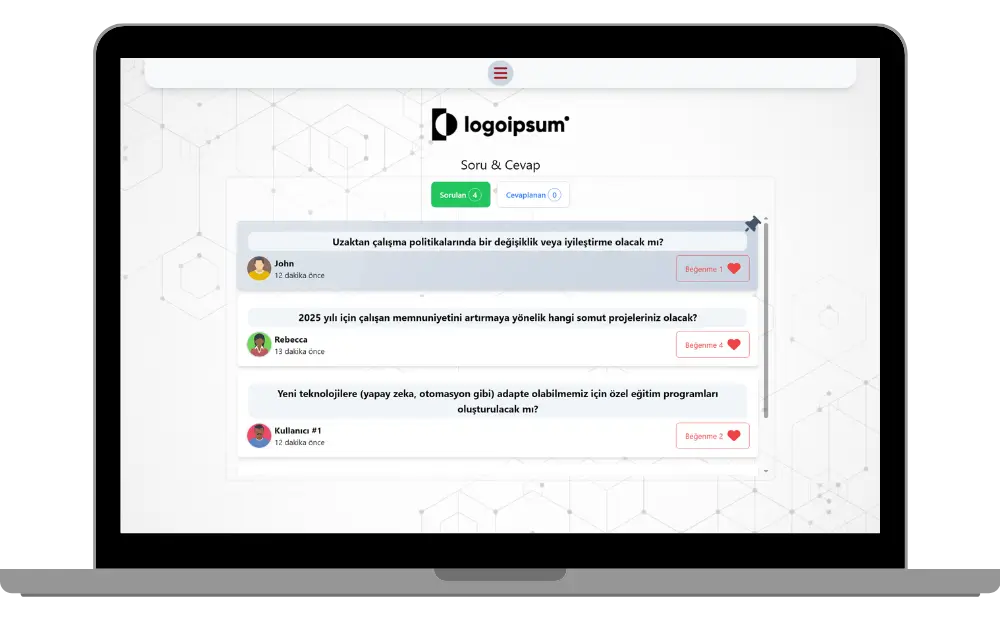
- Participant - All Questions
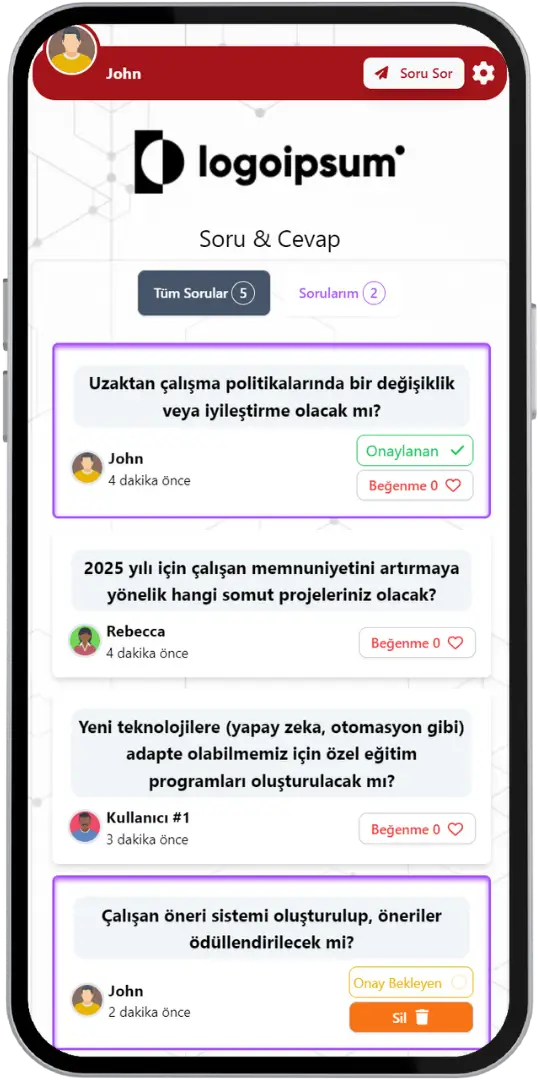
- Moderator - All Questions
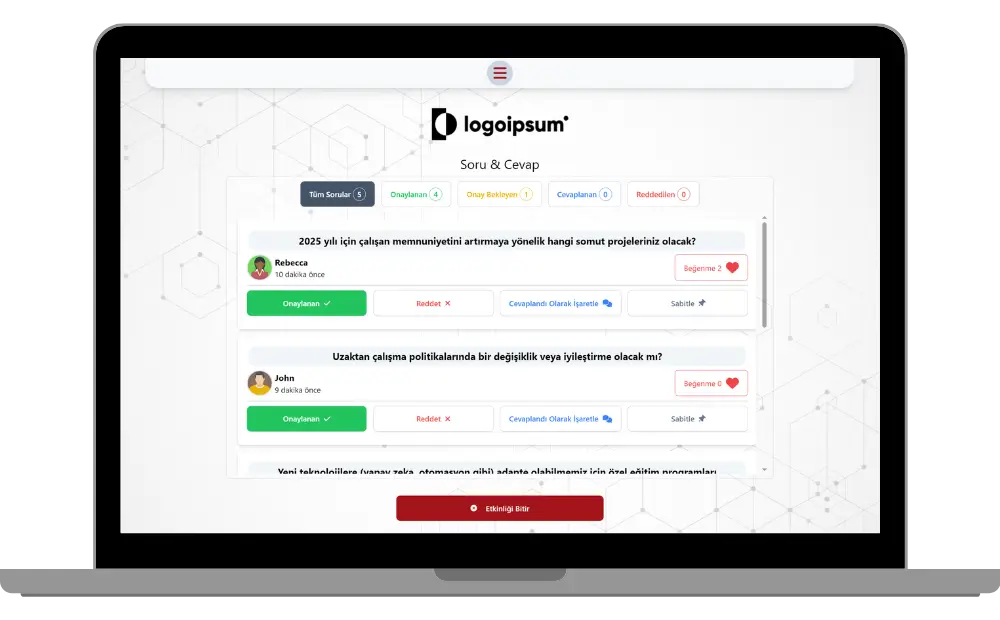
Event Modes & Unique Features
Discover various features to spice up your events.
Collect Anonymously or Directly Asked Questions
Participants can ask questions anonymously if they wish to keep their inquiries confidential. You can also collect user data such as usernames, emails, phone numbers, or IDs if users agree to share their identity when joining. All collected data adheres to GDPR compliance standards, and with enterprise plans you can upload your own privacy and data policies.
Use Customized Brand Theme Feature’s Power for Q&A
Enjoy complete flexibility of QuizModeOn’s theme editor and easily apply your corporate identity by adding custom logos, brand colors, and backgrounds.
Gain Control, Watch and Manage Audience Questions Using the Moderation Panel
The fast-paced nature of a Q&A event allows for quick questions from participants. The moderator can filter the questions that have been asked, and only the approved questions are displayed on both the presenter's and participants' screens. The Moderator can also pin some questions that are likely to be answered to the top.

Gamification
Participants can upvote each other's questions that they would like to see answered. When a question is upvoted, its like count increases and it moves higher up in the list.
Moderation
All asked questions will be listed on the moderation screen and filtered by the moderator. Approved questions will be visible on all participants' screens and the presenter's page.
Idea Collection
You can effortlessly and quickly gather questions from all participants simultaneously, without pausing to wait for each individual to ask. This streamlines the process and keeps the event flowing smoothly.
Live and Interactive
The events can be arranged as live sessions. Due to the live nature of these events, participants are able to join at any time during the session. They can ask their own questions and interact with others' questions by upvoting.
When, Where, and Why? Use of Q&A
Create events with fine-tuned options for all your needs.
- In-Corporate Events
- HR Recruitment
- Learning/Training
- Marketing
When
Q&A's are frequently used for corporate communications & marcom events.
- Employer Branding
- Training Sessions
- Product Launch
- Marketing Communications
- Internal Communications
Where
Q&A's are best for meetings & social activities.
- All Hands Meetings
- Town Hall Meetings
- Fireside Chats
- Employee Feedback Sessions
- Summits & Conferences
- Online Courses & Webinars
Why
Q&A is a time-saving interaction tool for many purposes
- Gather Opinions
- Share Ideas & Brainstorm
- Spice Up Internal Events with Interaction
- Collect Valuable Data & Analyze Results
- Get Instant Feedback from Your Audience

How to Create Q&A Sessions?
Learn event creation progress step by step.
Create your event from scratch.
Choose the content language for your event.
Create customized branded themes and designs that fit your corporate identity or key visuals of custom works and events.
Check and finalize your content.
Let’s set up an event for your content with some features.
- Live event flow is default according to the Q&A event dynamics.
- Set the features of your event information, like the participant limit and the PIN code.
- Choose your audience‘s sign up options, and figure out what information you need to keep and use, with this configuration, you can customize how participants see their login screen.
- You can use predefined avatars or create and upload custom avatars for registration.
After planning the event, it’s time to start and manage your event.
Let your audience have fun and engage.
Q&A Alternatives
Try distinct type of events with unique dynamics and excitement levels.
 Poll
 Word Cloud
 Dynamic Poll
Check Out Our Blog
Get inspired to discover valuable insights, tips, and strategies.
Event Flow Video
Watch our short video to learn about the basics, such as event flow and features.